A secure beauty business – for clients and professionals
Verification with Smart-ID, Mobile-ID or an ID card, just like in online banking. No passwords, no fake names – and no one ever sees your PIN.
Smart-ID
The most common. You confirm with PIN1 in the phone app after comparing the verification code.
Mobile-ID
SIM-based verification – enter your phone number and ID code.
ID card
Card reader and Web eID. You enter PIN1 in the browser's Web eID window – not on the web page.
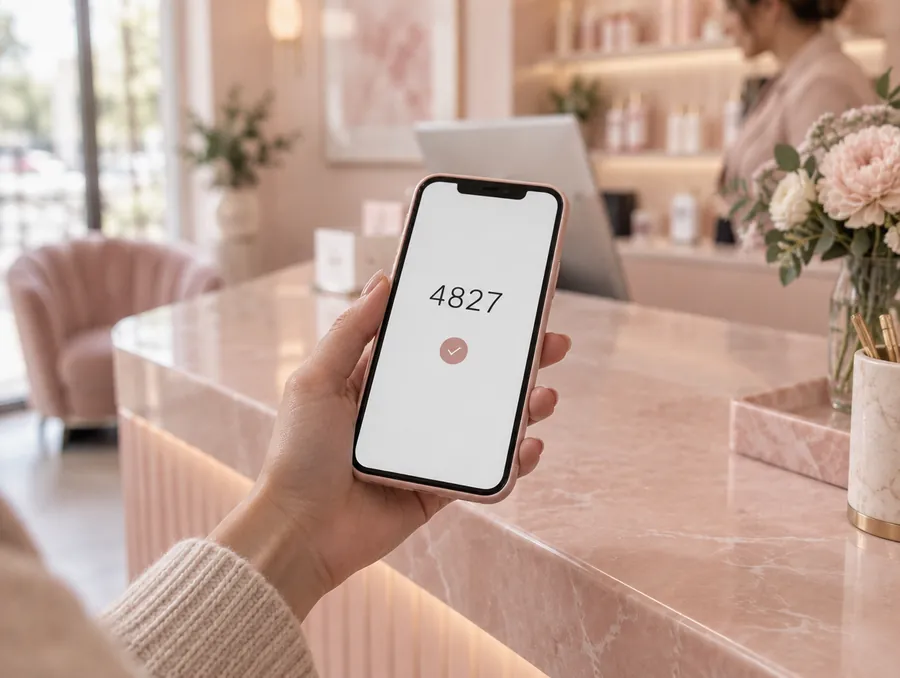
Four steps, under 20 seconds
- Choose a methodSmart-ID, Mobile-ID or ID card.
- Compare the verification codeThe same four-digit code is shown on the page and on your phone. If it differs – cancel.
- Enter PIN1 on your phoneOr, with an ID card, in the Web eID window. The web page never asks for your PIN.
- DoneYour name is filled in automatically and the booking is confirmed.
Your appointment is secure and yours only
- With a client account you verify yourself only once
- Only you can change or cancel your booking
- “My bookings” – all appointments in one place
- Download your data or delete your account in one click
- You decide about SMS messages and newsletters
Fewer no-shows, more control
- Password-free login for the whole team
- Every online booking is linked to a verified person – no fake names
- Sensitive actions require a new eID confirmation
- Security log: who, what and when
- Only the owner sees the ID code, staff see it masked
What we store – and what we don't
| Data | Purpose | Who can see it |
|---|---|---|
| First and last name | Handling the booking | Salon |
| Personal ID code | Reliably recognising the same person | Only the salon owner, encrypted; masked for staff |
| Verification method and time | Security log | Salon owner |
| Certificate | Checked at the moment of verification | Not stored |
| PIN codes | – | No one. They never reach Pinkly. |
Verification is provided by SK ID Solutions (Smart-ID, Mobile-ID) and, for ID cards, by Web eID. Data is kept in the European Union.
Questions about security
How do clients verify their identity?
With Smart-ID, Mobile-ID or an ID card – just like in online banking. The verification code is shown both on the page and on the phone, and the PIN is entered only on the phone or in the Web eID window.
Do I have to verify myself every time?
Not with a client account: you verify yourself once when creating the account and then book with your email and password. When booking as a guest, you need to verify yourself every time before the booking is saved.
Can Pinkly see my PIN codes?
No. PIN codes are never requested on the website and never reach Pinkly or the salon.
Do staff also log in with eID?
Yes. There are no passwords – every staff member logs in with their own Smart-ID, Mobile-ID or ID card, and sensitive actions require a new confirmation.
Where is my data stored?
Data is stored in data centres in the European Union and is encrypted.
Is Pinkly GDPR compliant?
Yes. Clients give consent when booking, and you can export or delete their data with one click if needed.
Can I import my client database?
Yes – import from an Excel or CSV file. We help with the migration for free.
Grow your beauty business with Pinkly
- 14-day free trial
- No credit card needed
- Cancel any time